
Back to Basics: Understanding HTTP and REST APIs
Have you ever wondered what happens behind the scenes when you type a URL into your browser or click a button on a mobile app? Most of our digital life is powered by a simple conversation between two parties: the Client and the Server.
At the heart of this conversation are two fundamental concepts: HTTP and REST APIs.
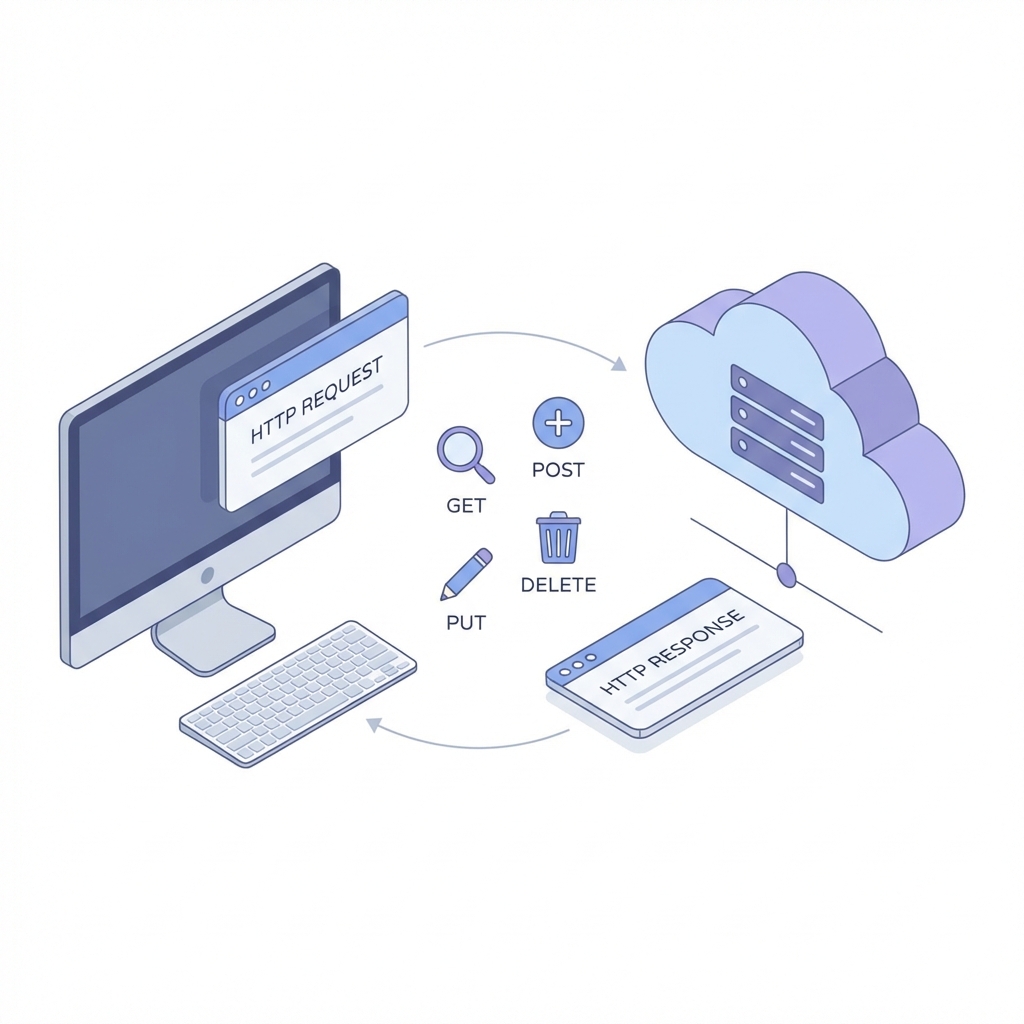
1. What is HTTP?
HTTP (HyperText Transfer Protocol) is the language of the web. It's a set of rules for how messages are formatted and transmitted.
Think of it like a waiter in a restaurant:
- The Request: You (the Client) tell the waiter (HTTP) what you want.
- The Response: The waiter goes to the kitchen (the Server) and brings back your food (the Data) or tells you they're out of it.
The Anatomy of an HTTP Message
Every HTTP communication consists of two parts:
- Request: Contains the URL, a "Method" (what you want to do), and sometimes data (like a login form).
- Response: Contains a Status Code (like 200 OK or 404 Not Found) and the data you requested.
2. What is a REST API?
If HTTP is the language, REST (Representational State Transfer) is the architecture or "style" of the conversation. An API (Application Programming Interface) is simply the interface that allows two apps to talk to each other.
A RESTful API follows a few key rules to keep things organized:
- Statelessness: Every request must contain all the information needed to understand it. The server doesn't "remember" previous requests.
- Resources: Everything is a "resource" (a User, a Post, a Product) and has its own unique URL.
- Uniform Interface: We use the same standard methods to interact with these resources.
3. Mapping HTTP Methods to CRUD
The power of REST comes from using standard HTTP methods to perform CRUD (Create, Read, Update, Delete) operations.
| HTTP Method | CRUD Operation | Description |
|---|---|---|
| GET | Read | Retrieve a resource (e.g., get a user's profile). |
| POST | Create | Create a new resource (e.g., sign up a new user). |
| PUT | Update | Update an existing resource (e.g., change your password). |
| DELETE | Delete | Remove a resource (e.g., delete a post). |
4. Status Codes: The Server's Reply
When you make a request, the server replies with a 3-digit number. Here are the ones you'll see most:
- 200 OK: Success! Everything went as planned.
- 201 Created: Success! A new resource was created (usually after a POST).
- 400 Bad Request: The server didn't understand your request (maybe a typo?).
- 404 Not Found: The resource you're looking for doesn't exist.
- 500 Internal Server Error: Something went wrong on the server's side.
Conclusion
Understanding HTTP and REST APIs is like learning the grammar of the internet. Once you grasp these basics, you can build, debug, and understand almost any modern web application.
Next time you see a "404" page, you'll know exactly what's happening: a Client asked for a Resource that the Server couldn't find, all through the medium of HTTP.
Further Reading
If you're ready to dive deeper into the world of web architecture and protocols, here are some excellent resources:
- MDN Web Docs: HTTP – The definitive guide to everything HTTP.
- RESTful API Design – A comprehensive resource for learning REST architectural principles.
- HTTP Status Codes Guide – A fun way to learn status codes with cats!
Happy coding!